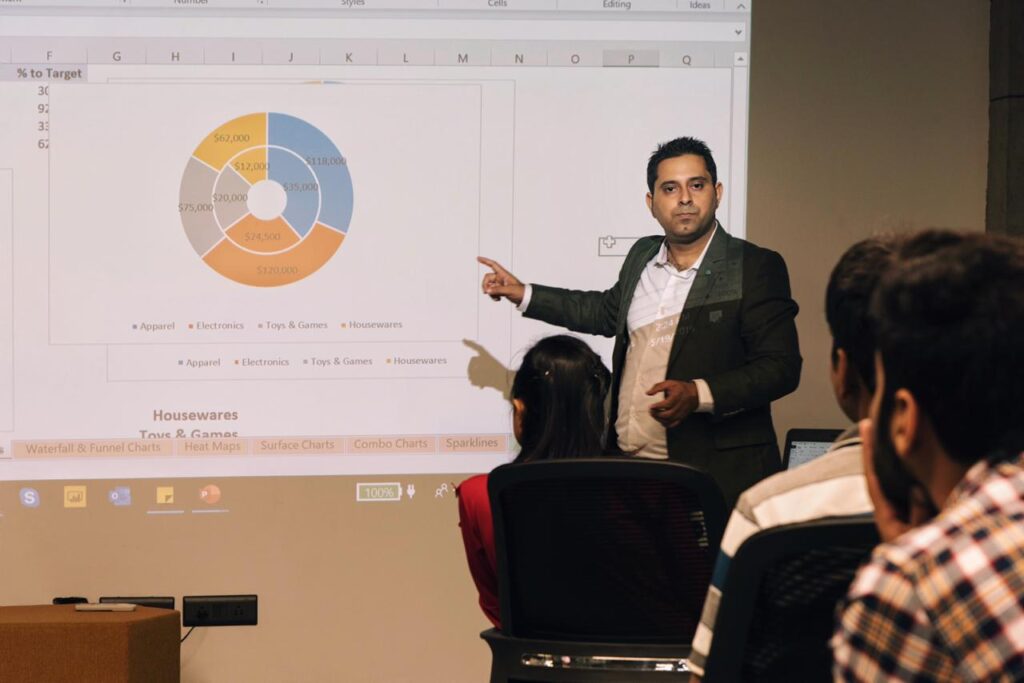
Module Overview
Power BI Corporate Training Curriculum
Module 1: Introduction to Power BI
- What is Data Analytics & Data Visualization
- Introduction to Data Analysis
- Introduction to Data Visualization
- What is Business Intelligence?
- Overview of Self-Service Business Intelligence (SSBI) Tools
- Leading Self-service tools
- Comparison of Leading Visualization Tools
- Getting Started with Power BI
- Introduction to Microsoft Power BI
- Why Power BI
- Power BI Elements
- Basic Components of Power BI
- Building Blocks of Power BI
- Key Benefits of Power BI
- Hands-On
- Power BI Installation
- Skills Gained
- Understanding of Data Analysis & Visualizations
- Concepts of Business Intelligence
- Installing Power BI on the System
- Elements and Building Blocks of Power BI
Module 2: Getting Data from Different Data Sources
- Power BI Desktop (Getting Data)
- What is Power BI Desktop
- Quick Walk-through Power BI Interface
- Views in Power BI Desktop: Report View, Data view, Model view
- Understanding ETL Concepts: Extract, Transform & Load
- Data Sources in Power BI Desktop
- Connecting and Getting data from different sources in Power BI (Excel, CSV, Access, etc.)
- Saving Workfile
- Hands-On
- Identifying and retrieving data from different data sources
- Extracting and Loading data into Power BI
- Preparing Data
- Skills Gained
- Concepts of ETL tool
- Getting data from multiple sources
Module 3: Clean, Transform and Load the Data
- Shaping Data using Power Query
- Loading data into Power BI Desktop
- What is Query Editor
- Cleaning Data with Query Editor
- Transforming Data with Query Editor
- Unpivoting Columns
- Eliminating Rows / Columns
- Changing / Modifying Data Types
- Adding Custom Columns
- Replacing Values / NULL
- Promoting / Demoting Row as Header
- Modifying and managing existing ‘Steps’
- Extracting Date Components from Date-Time
- Introduction to “M Query”
- Combining Data: Append, Merge / Joins, Transpose & Formatting Data Operations
- Hands-On
- Cleaning Data using Power Query Editor
- Shaping the data
- Transforming and cleaning the data
- Merging Rows / Columns from multiple tables
- Joins / Append activities
- Skills Gained
- Data Transformation using Query Editor
- Loading the data
- Understanding of “M Query”
Module 4: Design a Data Model
- Introduction to Data Modeling
- Understanding of Relationship
- What is Relationship?
- One to Many Vs One to One Relationship
- Auto-Detect Relationship during Load
- Dimension Table Vs Fact Table
- Cardinality in Data Modeling
- Creating Relationship Manually
- Managing Data Relationship
- Editing Relationship
- Creating Calculated Columns
- Creating Measures
- Optimizing Data Models for Better Visuals
- Cross Filter Direction
- Defining Hierarchies
- Hands-On
- Creating Model Relationships
- Managing Relationships
- Creating Measures
- Creating hierarchies
- Skills Gained
- Understanding the basics of data modeling
- Defining relationships and their cardinality
- Understand star schema and its importance
- Managing relationships
Module 5: DAX Formulas & Calculations
- Introduction to DAX
- Introduction to Data Analysis Expression (DAX)
- Importance of DAX
- Data Types in DAX
- Defining Calculation Type
- Calculated Column Vs Calculated Measures
- Adding New Measures to Report
- Creating Calculated / DAX Tables
- DAX Syntax & Operators
- Most Important & Common Basic & Advanced DAX Functions
- Aggregate Functions, Logical Functions, Time-Intelligence Functions, Information Functions
- DAX Variables, Formatting DAX Code, Handling Errors in DAX Expressions
- Hands-On
- Creating Calculated Tables
- Creating Calculated Columns and Measures
- Writing DAX calculations to perform Data Analysis
- Beautifying DAX
- Creating Variables
- Skills Gained
- Understanding DAX
- Create Calculated Columns, Measures & Tables
- Working with Advanced functions e.g. Time-Intelligence, Filter contexts etc.
Module 6: Data Visualization & Creating Reports
- Visuals & Report Design
- Introduction to Visuals in Power BI
- Creating Visualization & How to use Visual
- Exploring Visualizations’ List
- Most Common Visualizations: Bar, Column, Line, Area, Pie, Donut, Gauge, Cards, Table, Matrix, Combo, Funnel, Treemap
- Slicer, KPI and Custom Visuals
- Map & Filled Map Visuals
- Modifying Color Properties of Charts and Visuals
- Shapes, Text Box, Buttons, and Images
- Types of Filters, Slice and Dice Data, Drilling-Up/Down
- Understanding Custom Visuals & How to add them
- Customizing Canvas, Setting up Canvas & Must Know Global Fonts
- Page Layout & Formatting, Bookmarks in Power BI, Reports in Power BI
- Conditionally formatting tables/matrixes
- Activity: Creating Sales Report
- Hands-On
- Creating visual and charts
- Designing a report
- Managing visual fields and format properties
- Skills Gained
- Creating and selecting effective visualizations
- Designing report page layout and Visual modification
- Adding report navigation & basic functionalities
- Creating visually stunning reports
Module 7: Power BI Service and Managed Workspaces
- Power BI Service
- Introduction to Power BI Service & Workspaces
- Exploring Interface of Power BI Service
- Understanding the Admin Portal settings
- What is Power BI Workspace — My Workspace Vs New Workspace
- Creating New Workspace, Sharing and Managing Workspaces
- Roles in workspaces in Power BI
- Exploring Power BI Licensing — Free Vs Pro Vs Premium
- Hands-On
- Publishing reports on Power BI Service
- Creating workspaces
- Sharing and Managing Reports
- Moving important assets to App and Publishing app in Power BI
- Skills Gained
- Knowledge of Power BI Service (Cloud)
- Workspaces in Power BI
- Creating and managing a workspace
Module 8: Creating Dashboard in Power BI
- Dashboards
- Dashboard in Power BI — Difference between Report Vs Dashboard
- Preparing and Creating Dashboard, Configuring a Dashboard
- Pinning Visuals to Dashboard and Dashboard Tiles
- Dashboard Widgets, Pinning Tiles
- Introduction to Power BI Q&A, Asking questions about data, Fetching results using Q&A
- Using Q&A to create a dashboard tile, Quick Insights in Power BI
- Sharing and Collaborating Dashboard with Business Users
- Hands-On
- Creating a Dashboard
- Pinning visuals to Dashboard
- Adding text/video widgets to Dashboard
- Sharing and Moving Dashboard to distributed app
- Use of Power BI Q&A to question your data
- Skills Gained
- Dashboard creation from report
- Enhancing dashboard usability
- Importance of Q&A and Quick Insights
Module 9: Data Gateway, Security & Schedule Refresh
- Security & Gateway
- Report Security in Power BI
- Introduction to Row-level Security (RLS)
- Setting up and Enforcing Row-level security
- Implementing Row-level security
- Data Gateway & Report Scheduling — What is Data Gateway, Types of Gateway
- Installing Data Gateway, System Requirements, Benefits of Data Gateway
- Scheduled Refresh & Refreshing Data, Managing Data Source, Adding and removing a Data Source
- Hands-On
- Configuring & Implementing RLS
- Managing datasets
- Setting up On-Premise Data Gateway
- Connecting Reports on Power BI Cloud with Local Data Files
- Schedule dataset refresh
- Skills Gained
- Implement and manage security
- Manage scheduled refresh and connectivity
Bonus Module: In-Class Project
- Project
- Building Sales Report & Dashboard from Scratch
- Extracting Data from the Local Source
- Transforming Data using Power Query
- Cleaning, Shaping and Preparing the data
- Loading Data to Power BI Desktop
- Building Data Model, Visual and Charts
- Row-level Security, Publishing Reports, Power BI Service, Creating Dashboard
- Hands-On
- Analyzing Sales data
- Derive conclusions from the patterns and trends shown in the visualization
- Skills Gained
- Report and Dashboard creation
- Publishing, sharing and collaborating with Business users
End of curriculum.